After Studio Ghibli-style portraits and AI-generated figurines took over social media, Instagram has found its latest obsession: turning modern photographs into throwback pictures from the 1980s.
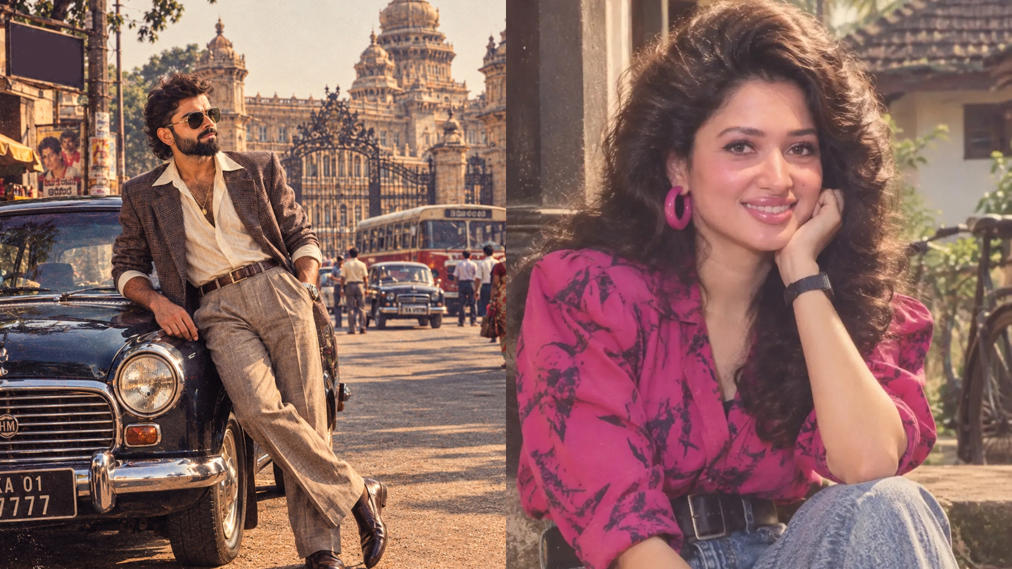
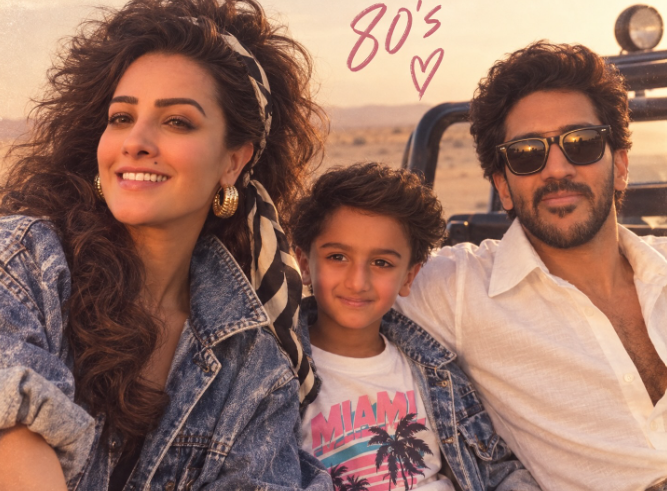
The trend is hard to miss. Across Instagram and X, users are posting portraits featuring oversized hairstyles, vintage clothes, statement accessories, warm lighting, and the grainy finish associated with old film photographs.
Known as the ChatGPT ’80s photo trend, the craze uses AI image generation to give an ordinary selfie a distinctly retro makeover. Instead of simply adding a filter, users can ask ChatGPT to recreate their photograph while preserving their appearance and changing everything from the hairstyle and clothes to the setting and lighting.
The finished images often look like they belong in an old family album, magazine shoot, or Bollywood film archive. Bouffant hairstyles, aviator sunglasses, colourful outfits, sepia tones, studio backdrops, and subtle film grain are among the details users are adding to their pictures.
The trend has also caught the attention of several well-known Indian personalities.
Union Commerce and Industry Minister Piyush Goyal was among those who joined in, sharing an AI-created version of himself on X. In the image, Goyal appears in a sharp grey suit, white shirt, and aviator sunglasses, with the photograph styled to resemble a 1980s portrait. The faded tones and grainy finish give it the appearance of a photograph taken decades ago.
Minister of Parliamentary Affairs and Minority Affairs Kiren Rijiju also tried his hand at the trend. His AI portrait shows him standing beside a vintage car in an outfit that fits the era perfectly.
Sharing the image, Rijiju wrote, “Why is everyone going back to the 80s vibes? I’m also forced to 80s nostalgia!
How to create your own ’80s portrait
You do not need Photoshop or advanced editing skills to try the trend. ChatGPT can handle most of the transformation if you give it a clear photograph and detailed instructions.
- Open ChatGPT and start a new conversation.
- Tap the plus icon and upload a clear photograph. A well-lit, front-facing picture with a relatively uncluttered background generally works best.
- Tell ChatGPT what kind of 1980s look you want, including the clothes, hairstyle, accessories, setting and lighting.
- Ask it to preserve your recognisable facial features and natural skin tone while changing the styling and surroundings.
- Look at the result and make follow-up requests if you want to adjust specific details. You can refine the same image rather than starting over each time.
Try this prompt
Once you have uploaded your photograph, you can use a prompt like this:
“Reimagine this image as a glamorous 1980s Indian film portrait. Retain the subject’s recognisable facial features and natural skin tone. Add voluminous, softly curled hair, a bold and colourful outfit, statement jewellery, warm studio-style lighting, rich cinematic tones and a subtle vintage film grain. Ensure the final image looks realistic, polished and elegant.”